Limited

30% off QuikNexa Packager — ship Divi sites in one click.

Built only for Divi · No tracking

Hand Your Client a Finished Divi Site Branded as Yours. In One Click.

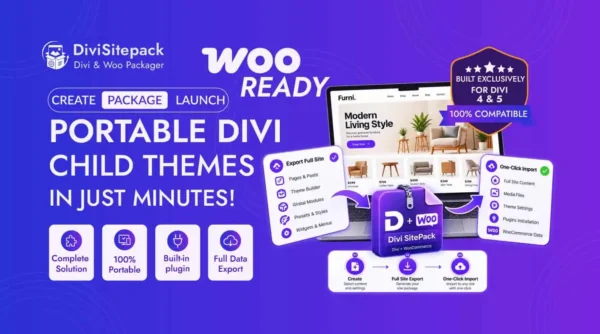
Package any Divi 4 or Divi 5 site — Theme Builder, layouts, content, media, settings — into a single installable child theme. Your client uploads it, clicks Run Import, and lands on a fully-built site that mirrors yours. No plugin for them to install. No account. No license key.

  • Z
    Divi 4 & 5 supported
  • Z
    One Click Install
  • Z
    GPL licensed
Windows-Hero

No Plugin

One Click Import

Your client installs one child theme, clicks Run Import, and the site is live in under two minutes.

Sound familiar?

You didn't become a Divi pro to do the same setup twice.

You learned Divi to build beautiful, original work — not to rebuild the same site over and over, write the same import emails, and field the "it's broken" messages a week later.

The 11 PM rebuild

Every new client starts from zero — the same header, footer, and presets, built again by hand.

Instructions that never land

You write step-by-step docs. They still email asking how to import. Migrations break the Theme Builder anyway.

Work that isn't yours

You want to hand over — or sell — a theme with your name on it. Not point clients at someone else's installer.

The version trap

Canvas Portal and Global Variables only exist in Divi 5. Most tools choke on the gap between 4 and 5.

We built QuikNexa because we were that person too.
So we fixed it properly.

How it works

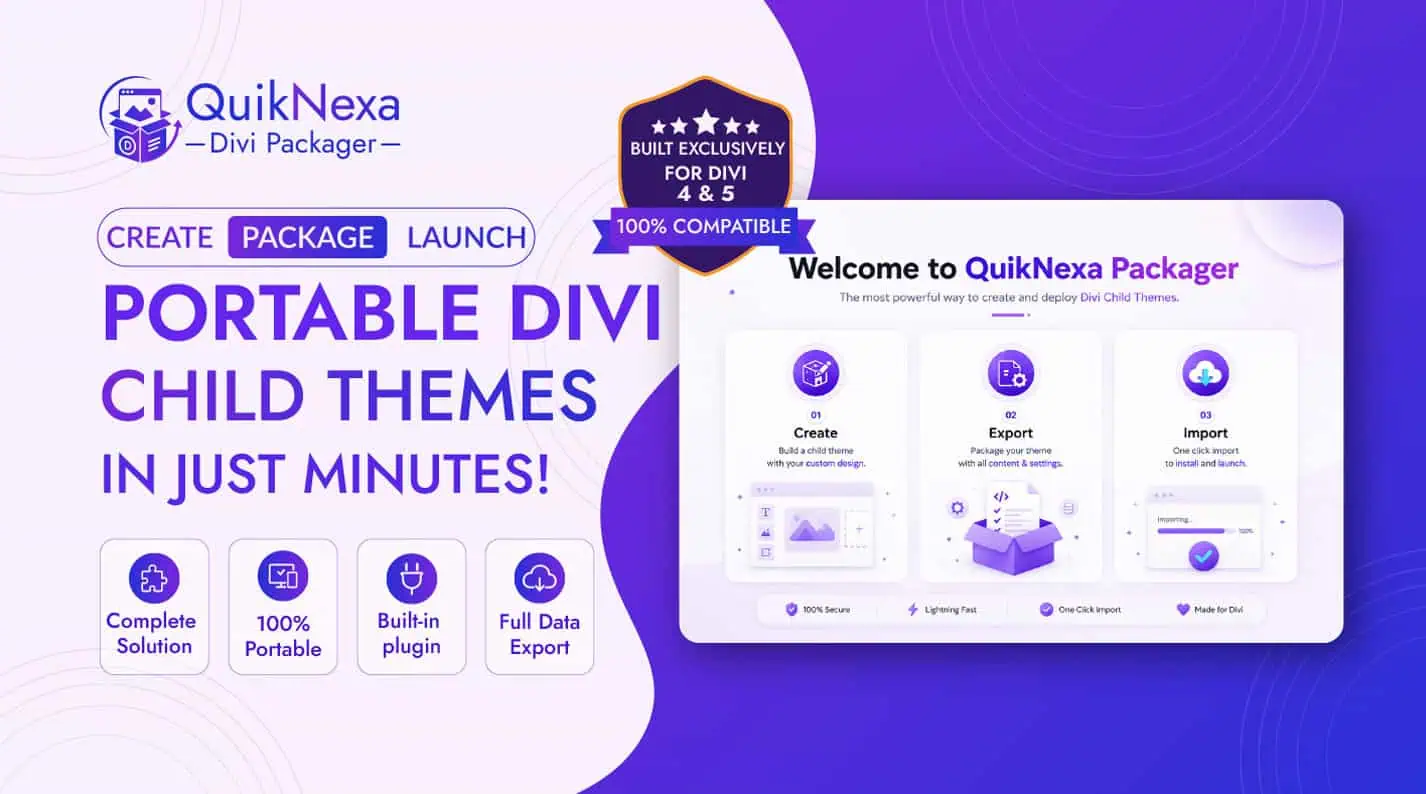
From your site to their site in three steps.

No FTP. No database exports. No broken layouts.

01

Package

Open the wizard, toggle exactly what to include — content, media, Theme Builder, Divi settings. Pick plugins to auto-install on their end, then click Generate.

02

Deliver

You get one self-contained child theme ZIP. Send it however you like — email, marketplace, client portal. Nothing else required.

03

They click once

Your client uploads the theme, activates, and clicks Run Import. A guided wizard rebuilds the whole site in under two minutes.

Watch it work

Three short videos. The whole story.

See exactly how you export, how your client imports, and how branding makes it yours.

Complete, not partial

Everything that makes a Divi site whole.

A real, working website lands on their site — not a pile of pieces to reassemble.

Site Content

Posts, pages & CPTsCustomizer settingsNavigation menusMedia libraryWidgets & sidebarsPermalinksCustom CSS

Divi 4 & 5 Data

Theme Builder + assignment rulesePanel / Theme OptionsDivi Library layoutsPortfolio CPTCanvas Portal · D5Global Variables · D5Global Presets · D5Role Editor settings

The full toolkit

Everything you get in one place.

Every feature, organized so you can see exactly what QuikNexa does. Filter by what matters to you.

Posts, pages & CPTs

Export all published content, including custom post types, with Divi module trees intact.

Full media library

Every attachment used on the site, bundled or referenced by URL — your choice.

Customizer settings

Divi-namespaced customizer mods, colors, and site identity carried over exactly.

Navigation menus

All menus restored to their correct theme locations on import.

Widgets & sidebars

Widget content, order, and sidebar assignments — including custom sidebars.

Permalink structure

The receiver's permalinks are set to match, so links never break.

Custom CSS

Your additional CSS travels with the package and survives re-branding.

Theme Builder + Rules

Headers, footers, and body templates with their full assignment logic preserved.

Per-template selection

Pick exactly which Theme Builder templates to include in each build.

g

ePanel / Theme Options

Full Divi Theme Options — fonts, colors, layout settings, and integrations.

Divi Library layouts

Published layouts, with per-category filtering to include only what you need.

Library category filtering

Include or exclude specific layout categories per package.

Portfolio CPT

Divi Projects and portfolio items packaged automatically.

Canvas Portal layouts

Divi 5's new Canvas Portal layouts exported and imported intact.

Global Variables

Divi 5 design tokens — colors, fonts, spacing — carried across.

f

Global Presets

Module presets travel with the package for consistent styling.

Divi 4 ↔ 5 compatibility

Three of four version combinations install cleanly; the fourth is guided gracefully.

No plugin for the receiver

The importer travels inside the child theme. Your client installs one theme — nothing else.

Guided import wizard

A clean, branded step-by-step wizard rebuilds the full site in under two minutes.

Full or selective import

One-click full demo, or let the receiver pick individual sections to import.

Recommended plugins

Mark plugins Required or Auto-install from wp.org or a custom URL.

Re-runnable imports

The receiver can run the import again any time from the Import screen.

Full white-label package

Theme name, slug, version, logo, accent color, welcome message — all yours.

Custom footer HTML

Replace every Dinova / Quikdin credit with your own studio's branding.

Receiver-side re-branding

End clients can re-skin the theme themselves and make it fully their own.

Strip the installer

Remove installer files to leave a clean, standard child theme — content preserved.

Docs, license & changelog

Bundle readme, license, and changelog files — marketplace-ready out of the box.

Page & post duplicator

Clone any Divi page or post with the full module tree preserved perfectly.

Saved Packages library

Every build is stored — re-download, edit, or delete any time.

Streaming ZIP build

Watch a live progress log as your package is exported and compressed.

Three media modes

Offline, Online, or Hybrid (≤500 KB bundled) — pick per build.

p

One-click debug info

Copy WP version, active plugins, and theme info for support instantly.

GPL licensed

Use it on unlimited sites, the way open software is meant to be.

Auto-cleanup

Old packages auto-delete after N days via WP-Cron, or remove after download.

Global default settings

Set media bundling and cleanup defaults applied to every new package.

You decide what ships

Surgical control over every build.

Ship exactly what's relevant — nothing more, nothing less.

Per-template selection

Choose precisely which headers, footers, and body templates go into each package.

Library category filtering

Include or exclude specific Divi Library layout categories per build.

Plugins, auto-installed

Mark plugins Required or Auto-install from wp.org or a custom URL. The receiver sets them up automatically.

Make it unmistakably yours

Two layers of white-label. Total ownership.

You brand the package

Set the theme name, slug, version, logo, accent color, welcome message, and a custom footer that replaces every credit. Save Brand Profiles — reusable presets per client.

Your client makes it theirs

The end client can re-skin the theme themselves, then remove the installer entirely — leaving a clean, standard child theme. Imported content stays exactly where it is.

Made for people who ship Divi

If you build Divi sites more than once, this is for you.

Marketplace sellers

Package, white-label, and sell portable child themes as your own products.

Web agencies

Standardize your stack; deploy a proven build to a new client in minutes.

Freelancers

Drop your signature layout onto every project and reclaim your evenings.

Developers

Move Divi environments between staging and production without the headaches.

Flexible by design

Three media modes for every kind of delivery.

Hybrid

Files ≤500 KB bundled; larger files fetched online. The best balance of size and resilience. Cap is adjustable in Settings.

Offline

Every attachment bundled. Largest ZIP, but works with the source site gone — perfect for client handoffs and archival.

Online

URL references only. The lightest package; the receiver loads images from your source site.

Simple, honest pricing

One fair price. Everything included.

No per-site fees, no add-ons, no upsells, no surprises. Buy once a year and ship Divi sites to as many clients as you want — with every feature unlocked from day one.

No Per-site Limits

Use it on every client project, marketplace product, and personal site.

O

GPL License

Your purchase is your license. The plugin never checks in with us.

Packages you build stay yours

Even after your license ends, every child theme you've shipped keeps working — forever.

30-day money-back guarantee

Try it risk-free. If it doesn't save you hours on your first project, we'll refund you.

Secure checkout

Stripe & PayPal

}

Cancel anytime

Unlimited License

$79/year

Get complete Divi website packages and seamless one-click installation.

  • Z
    Unlmited Websites
  • Z
    Divi 4 & Divi 5 Compatible
  • Z
    Two-layer white-label + Branding
  • Z
    One-Click Demo Import
  • Z
    Package Themes & Demo Content
  • Z
    Per-template & category control
  • Z
    Automatic Setup (Menus, Homepage, Permalinks)
  • Z
    Duplicator + Saved Packages library
  • Z
    30+ Features
  • Z
    1 Year Updates & Support

Your marketplace purchase is your license. Cancel renewal anytime.

FAQs

Questions? We're glad you asked.

Everything you need to know about the product. Can't find an answer? Reach out and we'll get back to you.

What exactly does QuikNexa Packager do?

QuikNexa Packager turns any Divi 4 or Divi 5 website into a portable, installable child theme. It bundles your content, Divi Theme Builder templates, layouts, customizer settings, media, menus, widgets, and plugins into a single ZIP file. Your client (or buyer) installs that ZIP as a regular WordPress theme, activates it, and a guided wizard rebuilds the entire site in under two minutes — no FTP, no database export, no manual setup.

Do I need any other plugin or service to use it?

No. Dinova Packager works with Divi and WordPress alone. There's no external service to connect, no API key to configure, no license server to ping. The plugin operates entirely inside your WordPress site — nothing is sent anywhere.

Will it work with both Divi 4 and Divi 5?

Yes. Divi 4 → Divi 4, Divi 5 → Divi 5, and Divi 4 → Divi 5 packages all install cleanly. Divi 5 → Divi 4 isn't supported because Divi 4 can't render Divi 5's Canvas Portal or Global Variables — when this happens, the importer politely asks the receiver to upgrade to Divi 5 first instead of failing silently.

Can I fully white-label the generated child theme as my own brand?

Yes — on two levels. You can set the theme name, slug, version, logo, accent color, welcome message, and a custom footer that replaces every Dinova/Quikdin credit. Save reusable Brand Profiles per client. Then your client can also re-skin the theme themselves and use the built-in "I want my own" flow to remove the installer files entirely — leaving a clean, standard child theme with no trace of Dinova.

How are media files handled — bundled inside the ZIP or fetched online?

Your choice per build. Offline mode bundles every attachment into the ZIP (largest size, works without the source site). Online mode references images by URL (smallest ZIP, depends on your source site staying live). Hybrid mode (recommended) bundles files under 500 KB and fetches larger ones online — best balance of size and reliability. The 500 KB cap is adjustable in Settings.

How many sites can I use it on? Are there per-site fees?

Unlimited. One yearly license covers every client project, marketplace product, and personal site with no per-site limits, no per-package fees, no upsells. Build and ship as many packages as you want during your license period.

What happens to my packages and themes if my license expires?

Everything you've already built stays yours — forever. Every child theme you've packaged and shipped continues to work on your clients' sites with no time limit. You only lose access to plugin updates and priority support; you never lose your work. Renew anytime to resume getting updates.

Does my client need to install the QuikNexa plugin too?

No, and this is the key benefit. Your client installs only the generated child theme — nothing else. The importer "travels inside" the theme itself. They go to Appearance → Themes → Add New, upload the ZIP, activate, and click Run Import. They never see our plugin, never create an account, never deal with a license key.

How long does the client-side import take?

Under two minutes for a typical site. The receiver runs a guided 5-step wizard (Setup → Pick what to import → Import → Done → Optional re-branding) with a live progress log. They can choose the full demo import in one click, or pick individual sections — posts, customizer, menus, media, widgets, Divi Theme Options — to import selectively. The import is re-runnable any time from the Import screen.

What if my client wants to make the theme truly their own?

The packaged child theme includes a built-in "I want my own" re-branding flow. The client can rewrite the theme name, author, description, URLs, and version, replace the thumbnail, and then remove the installer files entirely — installer-mini/, manifest.json, and admin-page.php are deleted, while every piece of imported content stays exactly where it is. The result is a clean, standard child theme that's unmistakably theirs.

Is the data import safe? Could it break the client's existing site?

The import is destructive but predictable, and the client always knows in advance. Before importing, the wizard clearly warns that existing content of the matching type will be replaced (posts, pages, menus, customizer, widgets, Divi options). Clients can choose to import only specific sections to avoid touching others. For safest results, we recommend running imports on a fresh or staging WordPress install — the wizard makes this clear in the warning step.

Can the client import the demo again later, or only once?

Any time. The import is fully re-runnable from the Import demo screen inside the theme as long as the installer hasn't been removed. Clients can re-import to reset content, or run a partial re-import to refresh just one section (e.g. media only, or menus only) without affecting the rest. Once they've removed the installer via "I want my own," the re-import option disappears — but their imported content remains untouched.

Stop rebuilding. Start delivering.

Turn your best Divi site into a portable, white-label product today — and hand it over in one click.

Divi 4 & 5 · Unlimited sites · No tracking